Deposits and Withdrawals
Depositing Funds
To deposit funds into Silhouette, you need assets on HyperCore (Hyperliquid's high-performance trading layer).
- In the Silhouette app, click To Silhouette in the Account Dashboard (when in Naked mode), or click Transfer to/from Silhouette in the Balances section at any time
- Select the asset and amount you want to deposit
- Confirm the transaction in your wallet
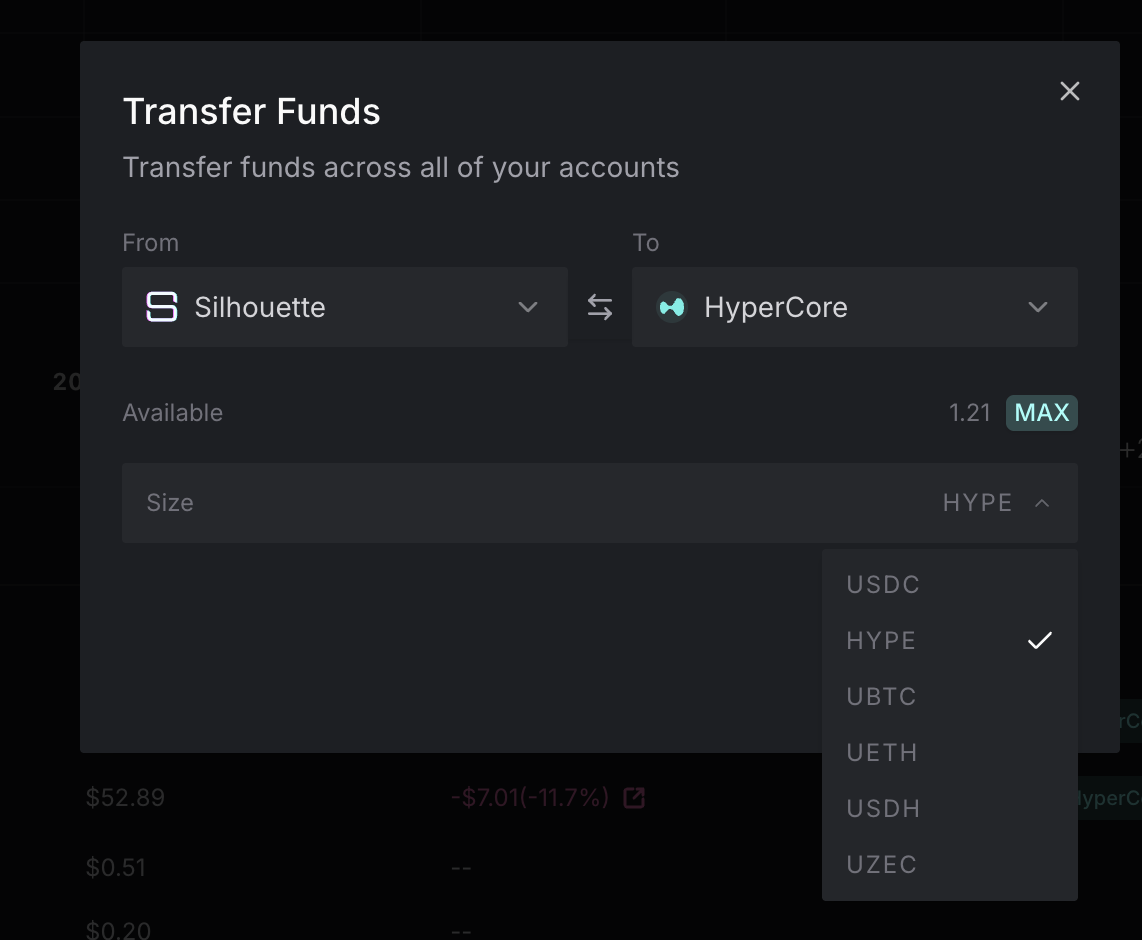
Your deposit will be detected by Silhouette's system and your account state will be updated in the shielded service. Deposits are publicly visible on Hyperliquid; once your funds are inside Silhouette, your trading activity is shielded.
Withdrawing Funds
To withdraw funds from Silhouette back to HyperCore:
- Click To Hypercore in the Account Dashboard, or click Transfer to/from Silhouette in the Balances section
- Select the asset and amount you want to withdraw
- Confirm the transaction
Your funds return to your wallet on HyperCore. There is no waiting period and no approval process.
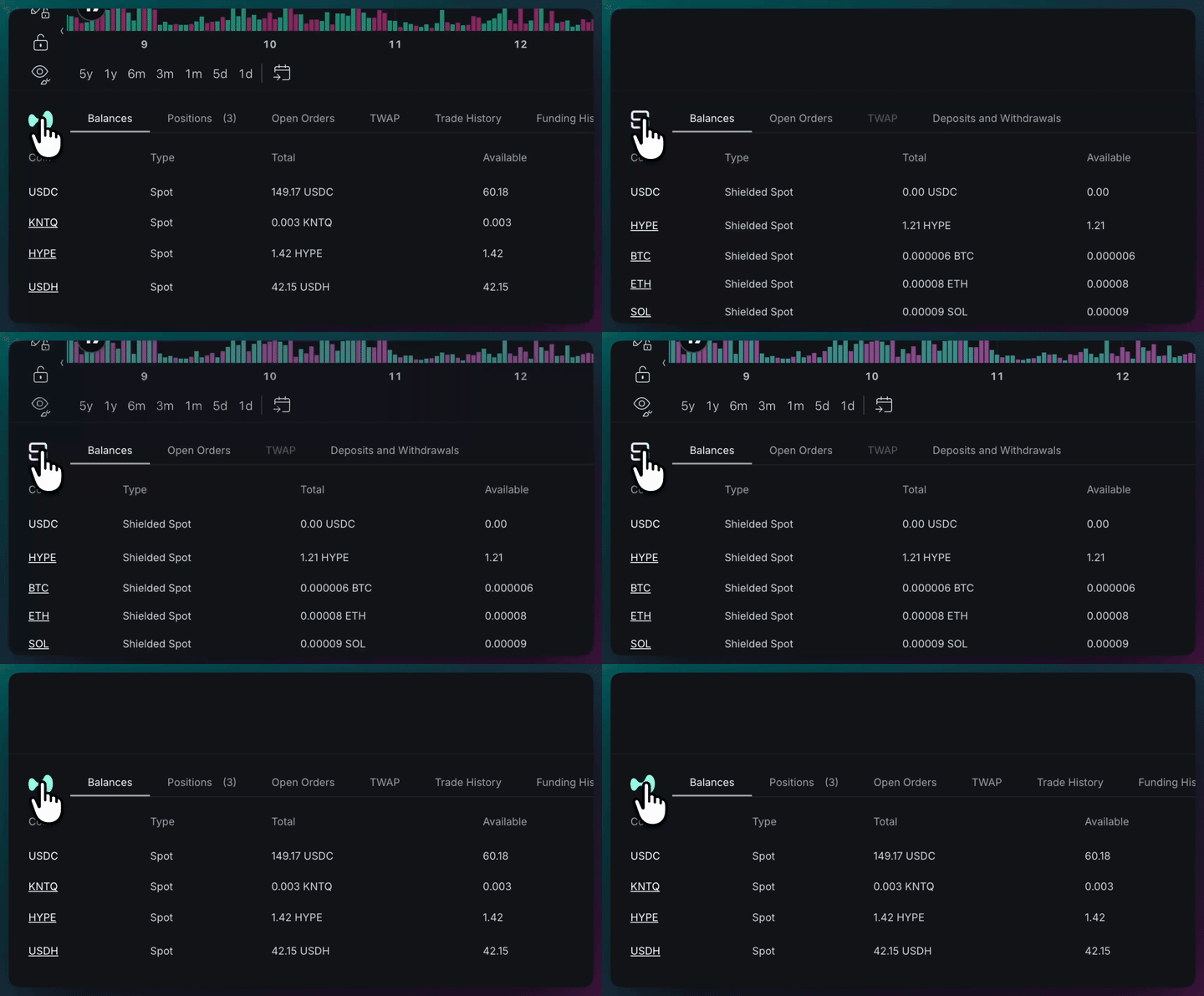
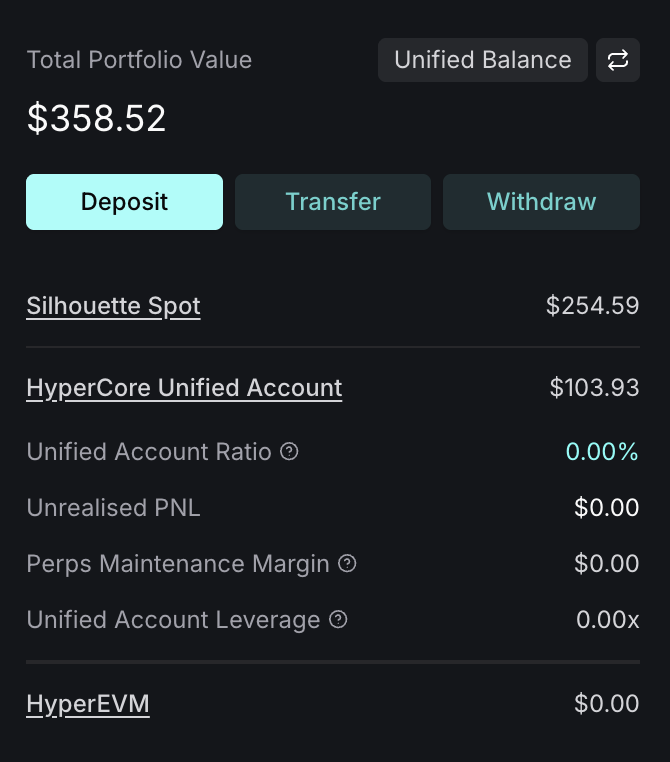
Your balances are visible in the Account Dashboard. The Balances panel shows your shielded spot holdings, and the Portfolio sidebar shows your total account value at a glance.
Supported Assets
How you fund your account depends on which mode you are trading in.
Shielded mode
Deposits and withdrawals move assets between HyperCore and Silhouette's shielded environment via the Transfer modal. You can deposit and withdraw any asset that has a shielded spot market - see the full list on Shielded Trading.
Deposits and withdrawals are visible onchain and attributable to the user's wallet. The trading activity between deposit and withdrawal, including fill prices, sizes, and balances inside Silhouette, is not attributable to the user. Silhouette's delegated wallets execute on Hyperliquid and those fills are publicly visible, but they aggregate flow from all Silhouette users.
Naked mode
Naked trading uses your HyperCore balance directly - there is no separate deposit step. You fund your Hyperliquid account the normal way (bridge, CEX withdrawal, or L1 transfer) and trade immediately. All spot and perpetual markets on Hyperliquid are available - see Naked Trading for details.
Fees
Silhouette does not charge fees on deposits or withdrawals. Standard Hyperliquid gas fees apply for onchain transactions.
Ready to start? See Start Trading to place your first order.