Start Trading
What You Need
You can trade on Silhouette with a standard DeFi wallet or by logging in with your email address.
If using a wallet, you need:
-
An EVM wallet - Rabby, MetaMask, WalletConnect, or Coinbase Wallet. If you do not have one, Rabby is a good starting point. After downloading the browser extension, create a new wallet and store your seed phrase securely. Never share your private key with anyone.
-
Collateral - USDC and ETH (for gas) on Arbitrum, or any asset supported by Unit.
Onboarding Steps
- Connect your wallet at app.silhouette.exchange
- Sign the prompted messages with your wallet
- Switch to Shielded mode in the Silhouette app
- Deposit USDC or HYPE into Silhouette
- Trade the HYPE/USDC spot market in Shielded mode
Trading Spot
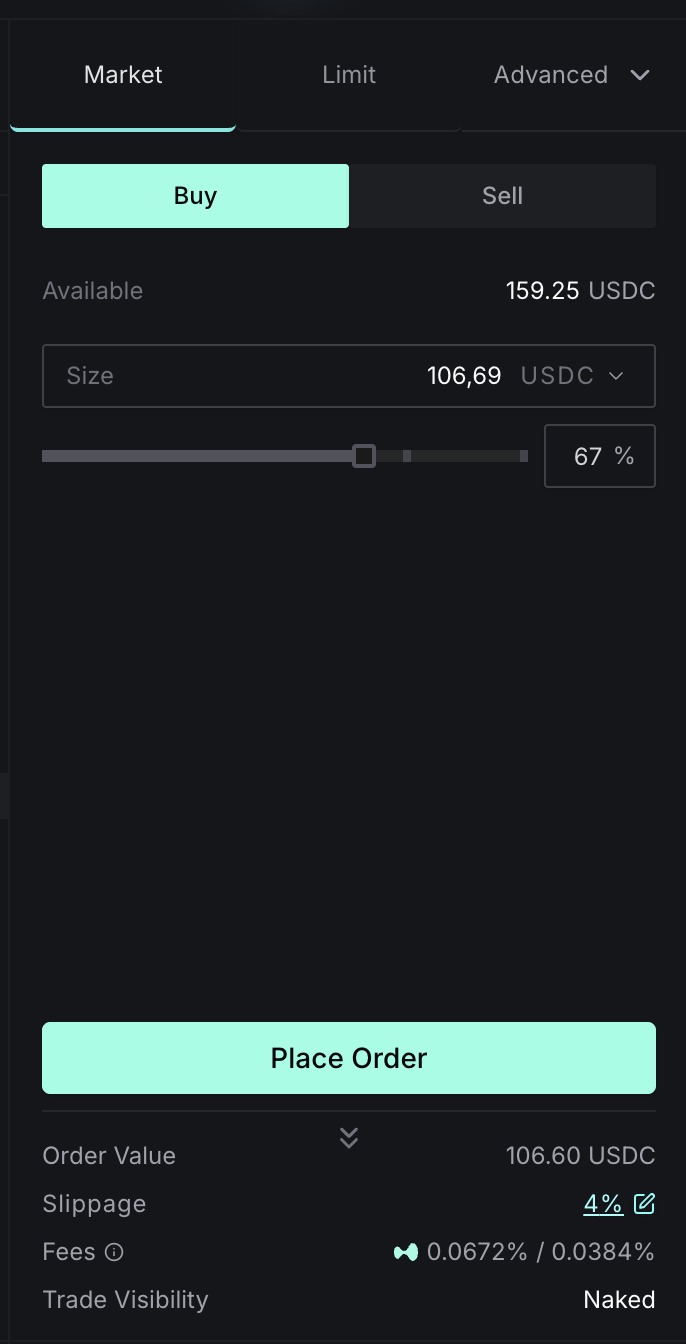
Spot markets are available in both Naked and Shielded modes. With spot trading, you exchange tokens directly rather than using collateral and leverage.
- By default, USDC transferred into Silhouette goes to your perps account. Use the To Spot button on the Account Dashboard to move funds to your spot balance. If you already have a spot balance, you can transfer it directly.
- Select a market using the token selector to choose your spot pair
- Choose whether to buy or sell - buy to increase your exposure, sell to take profit or close your position
- Use the slider or type in your desired size
- Click Place Order, then Confirm in the modal. Tick "Don't show this again" to skip confirmation on future orders.
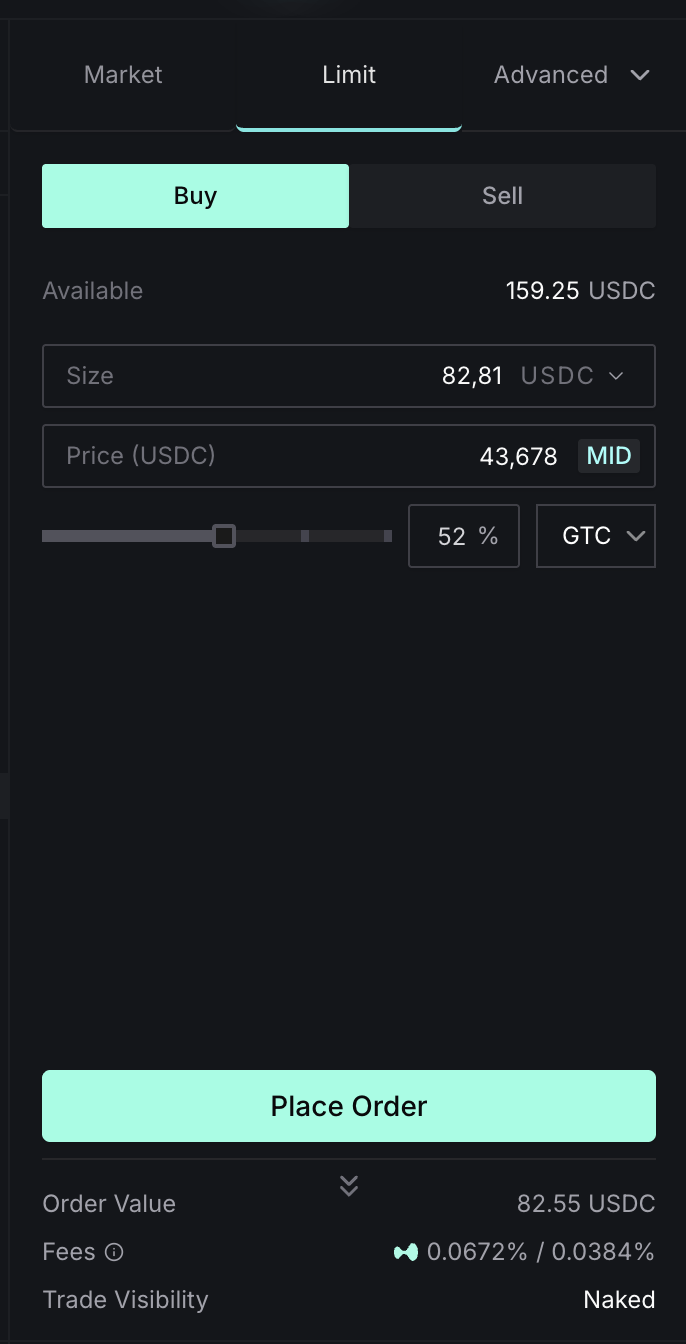
For precise entries, you can also use a limit order to set your exact price:
Trading Perpetuals
Perpetual markets are live in Naked mode only. Shielded perpetuals are on the roadmap. Trades in naked mode are visible onchain and route directly to Hyperliquid via Builder Codes.
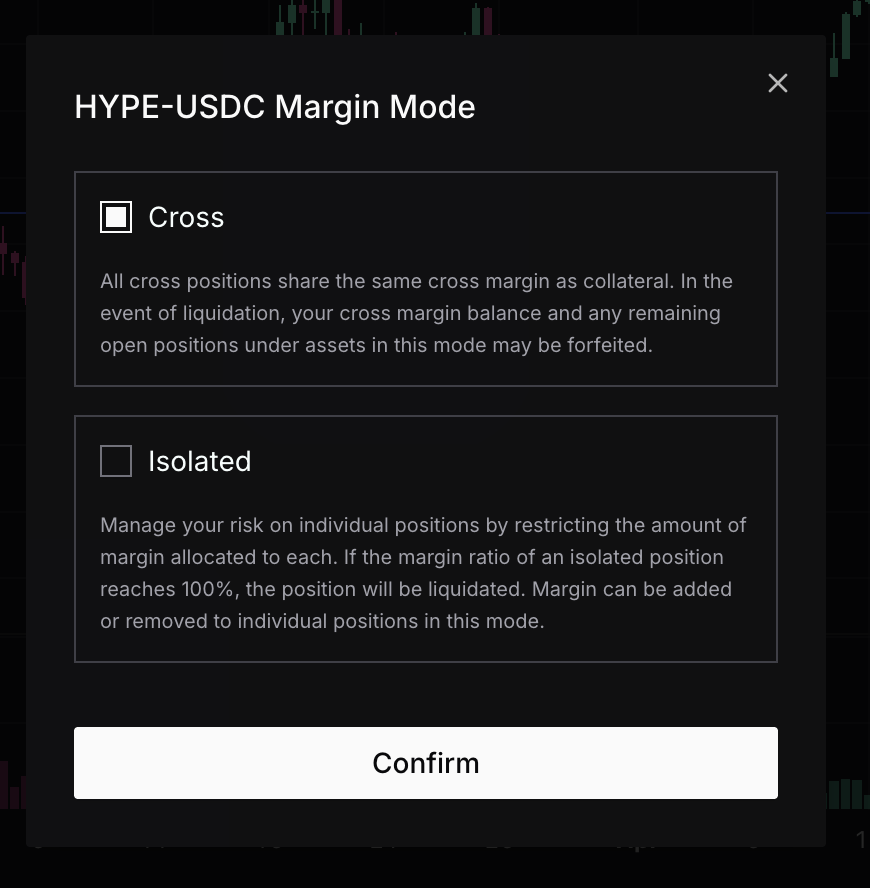
With perpetual contracts, you use USDC as collateral to go long or short on a token - rather than buying it directly.
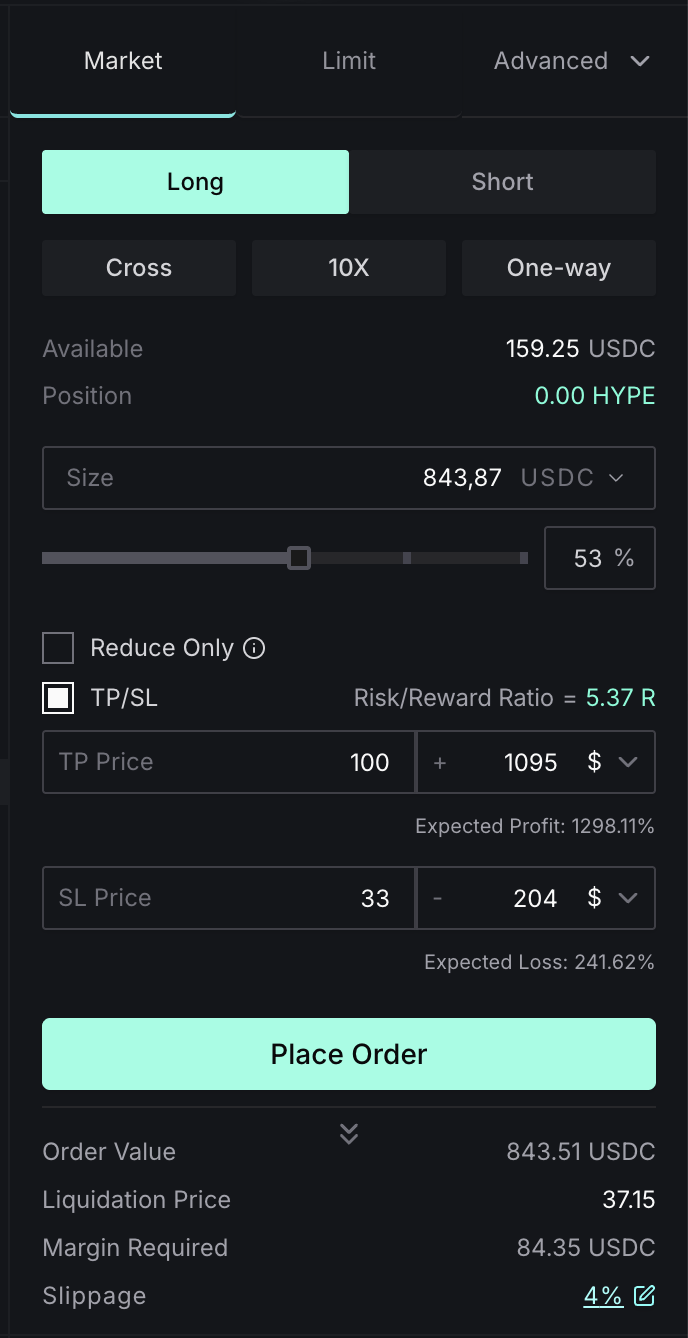
- Verify you have USDC in your perps account via the Balances tab in the Account Dashboard
- Select your perps pair using the token selector
- Choose long (expecting price increase) or short (expecting price decrease)
- Set your position size - position size equals leverage multiplied by collateral
- Click Place Order, then Confirm
For details on available order types, see Naked Trading or Shielded Trading. To manage your funds, see Deposits and Withdrawals.